Tech Hub

News

  • Tech Hub Now Hiring!

    Love tech? Good with people? Come join the Tech Hub team on campus! We’re looking for friendly, motivated students to help fellow students, faculty, and staff find the right gear—laptops, accessories, and everything in between. We offer flexible hours, a convenient location, and a fun work environment . No sales experience? No problem—we’ll train you up. Please email your resume to techhub@osu.edu...

    Tech Hub Now Hiring Graphic
  • Spring Cleaning Event at Tech Hub!

    As the flowers bloom and the semester winds down, Tech Hub, your campus computer store, is kicking off its annual Spring Cleaning Event—the perfect time to refresh your tech setup. During Earth Week 2025, April 21st throught the 25th, students, faculty, and staff are invited to drop off their old phones, tablets, and laptops for recycling. In return, Tech Hub will provide a discount on a new...
    Tech Hub Spring Cleaning Event Logo
  • Fuel up for Finals at Tech Hub!

    Finals are right around the corner, and Tech Hub is here to provide enough sugar and caffeine to power through any cram session! We'll be offering hot chocolate, coffee, and donuts this Reading Day, Tuesday, April 22nd.* Please feel free to use our commons area to study, and don't forget to check out the newest Apple MacBook® and iPad® models while you're here. Good luck! * while suppies last
    Compimentary Donuts and Coffee Event at Tech Hub
  • Discounted Endnote 21™ at Tech Hub!

    EndNote™ 21, the world's best reference manager, helps you save time, stay organized, collaborate with colleagues, and ultimately, get published. So, you can focus on what matters most: your ideas. Tech Hub offers EndNote licenses at the academically discounted price of $129. Stop by our store or give us a call at 614-292-8883 to purchase.
    EndNote 21 Logo
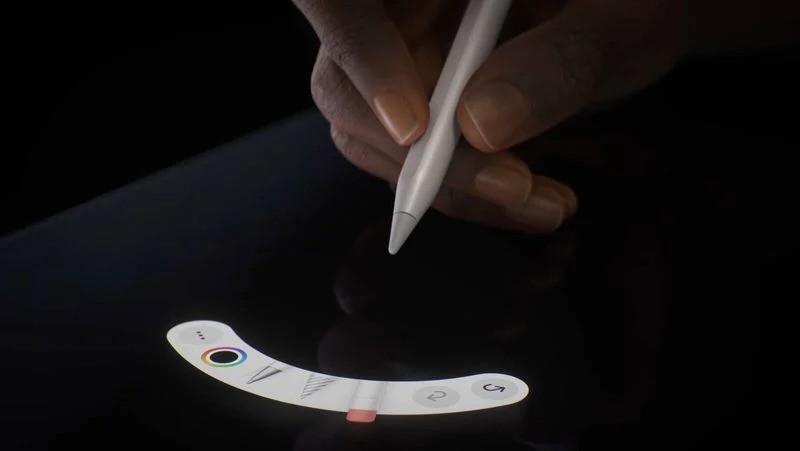
  • Did you know you can quickly switch Apple Pencil Pro® tools with just a squeeze?

    One of the most innovative features of the Apple Pencil Pro is the squeeze gesture—it makes switching tools feel like magic! Here's how it works: Step 1: Grab Your Pencil Pro Make sure your Apple Pencil Pro is connected to your iPad. If it’s your first time using it, just attach it magnetically to the side of your iPad to pair. Step 2: Open a Drawing or Notes App Apps like Procreate, Notes, or...
    Apple Pencil Pro Squeeze

News Archive